Most apparatus in ChalkItUp work one of two ways: a single attempt that stands as the final score, or two attempts where the better one counts — the standard Vault setup. Some club and regional tumble competitions run differently: every entrant performs a fixed number of runs, every run is scored in full (D − E − Penalty), and the final ranking total is the sum of every run. No qualifying round, no cut, nothing dropped.
That format now has proper support in ChalkItUp — a new Sum counts attempt rule, alongside the existing Best counts and Average counts options.
How it works
Set an apparatus to Sum counts in Settings → Apparatus, and choose how many attempts it takes — from 1 up to 6, so a 3-run tumble format fits directly with no workarounds. The judge panel scores each run in sequence, exactly like they already do for a two-vault apparatus, and the final score is the total of every run submitted.
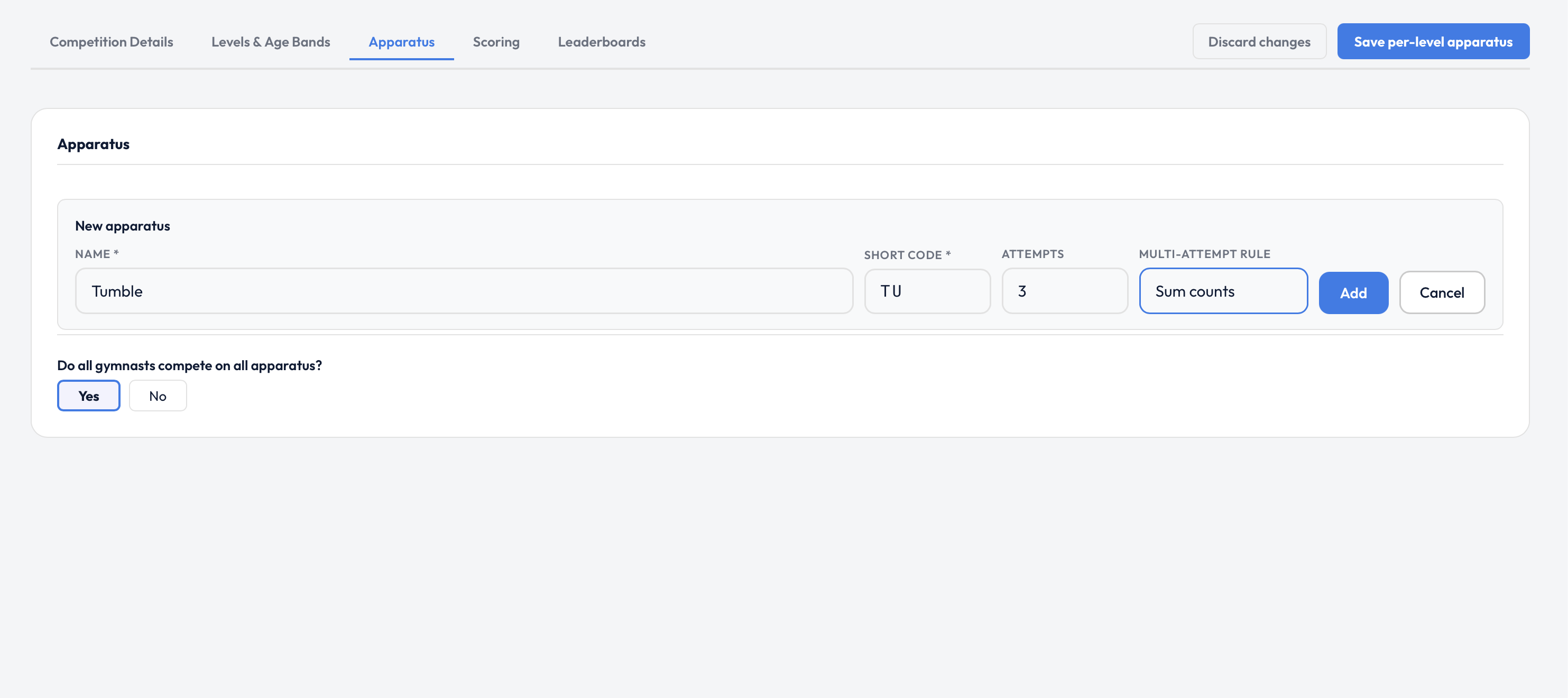
Setting a new apparatus to 3 attempts with the Sum counts rule.
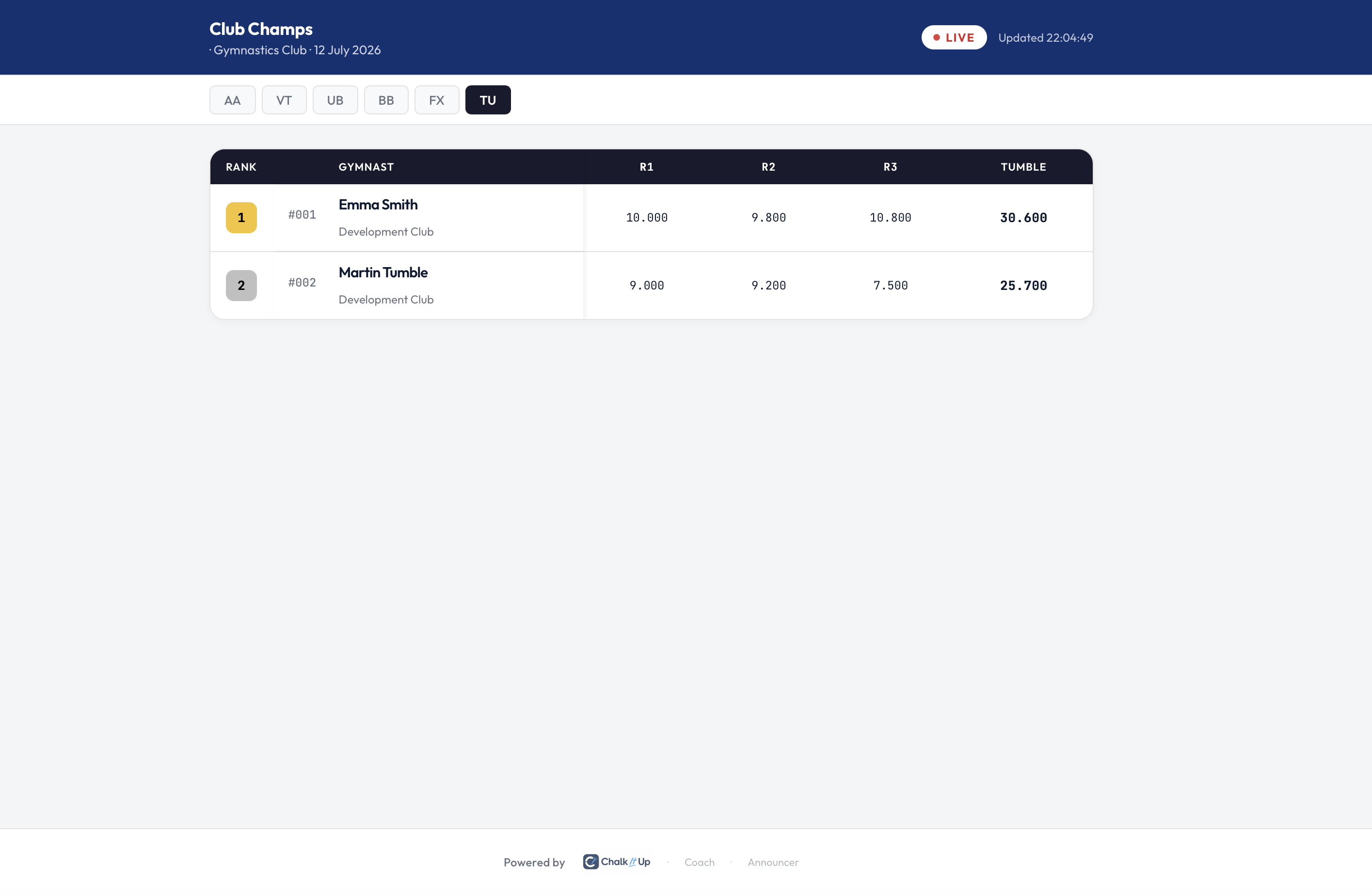
The same breakdown on the leaderboard's Tumble tab — every run, ranked by total.
The gymnast's leaderboard position is based on that summed total, ranked against every other entrant's own run total — no separate final round, no reseeding.
Every run, visible everywhere
A multi-run total is only useful if you can see how it was built. Every run's individual score — with its own D and E breakdown — is available throughout the system, not just as a single combined number:
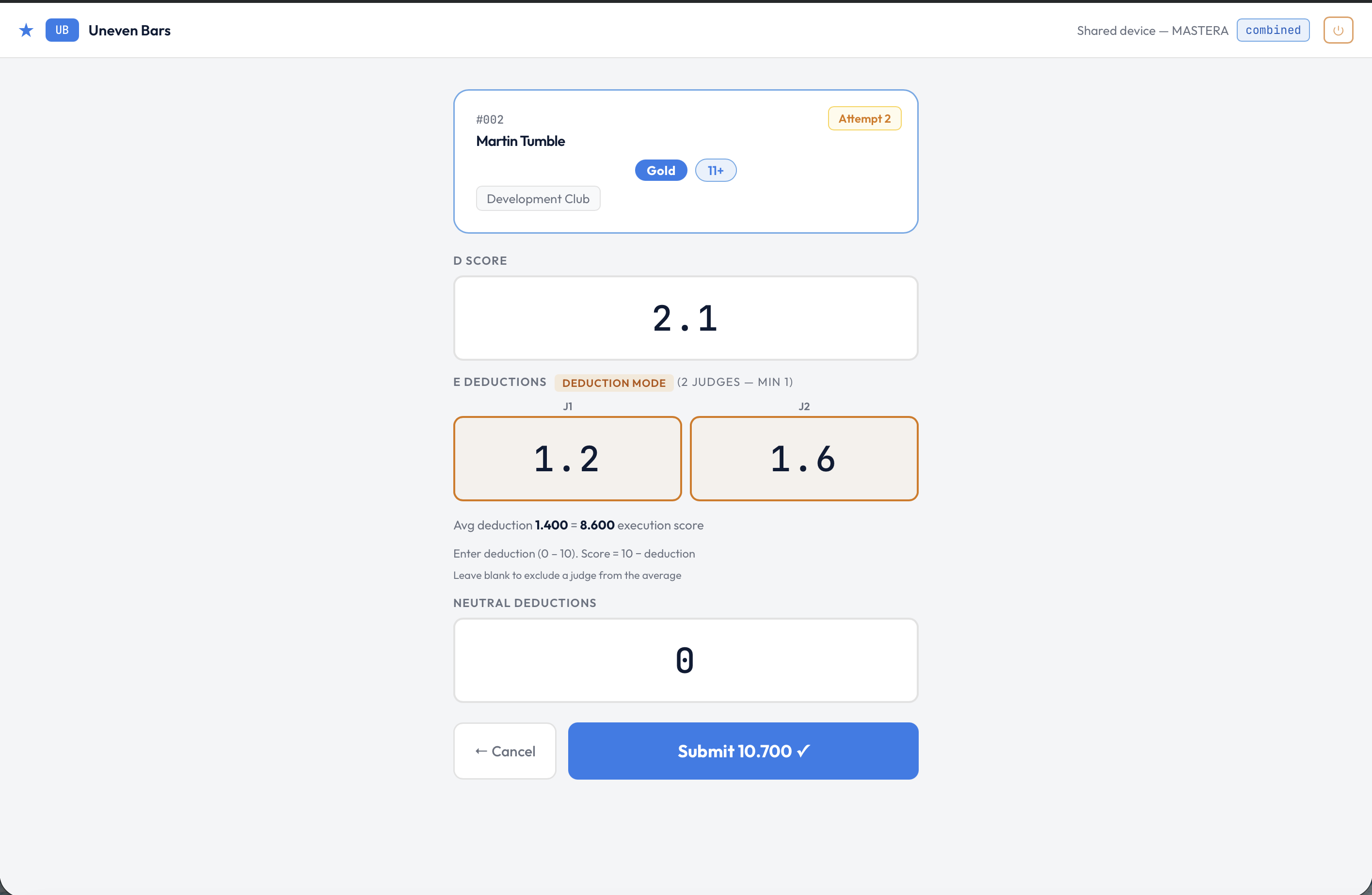
The judge screen labels each run — Attempt 2 shown here — and advances automatically once submitted.
Not just for tumble. Sum counts is a general attempt rule, available on any apparatus — useful anywhere your rules combine multiple runs into one total rather than taking the best or the average.
Setting it up
- Go to Settings → Apparatus and open the apparatus you want to change (or add a new one).
- Set Attempts to the number of runs — up to 6.
- Set the scoring rule to Sum counts.
- Judges score each run as it happens — the leaderboard, exports, and Results tab total automatically as each run comes in.
Running a flat multi-run tumble format this season?
Sum counts is available on all paid plans. Set your apparatus up before the day and every run — and every judge's D/E breakdown — is captured automatically.
Start free trial →